Most boardroom AV problems don’t start with bad equipment. They start with the wrong equipment for the room — a projector fighting daylight through a window wall, a microphone that only picks up half the table, a video call where remote staff can hear everyone except the person actually speaking. If you’re planning an upgrade, the equipment list matters less than getting these decisions right first.
Start With the Room, Not the Catalogue
Before anyone talks about brands or budgets, walk the actual room and answer three questions: How many people sit in it on a normal day? How much natural light comes in, and when? What does the room get used for beyond the obvious — client pitches, town halls, hybrid meetings with remote staff?
A 6-person meeting room and a 20-person town hall space need fundamentally different systems, even if they’re both called “the boardroom.” Sizing a display, speaker set, or camera for the wrong room is the single most common mistake we see, and it’s an expensive one to fix after installation.
Display: Bigger Isn’t Always Better
Screen size should be driven by the farthest seat in the room, not by what looks impressive in a showroom. A common rule of thumb is that the smallest readable text on a shared screen should be visible from the back row without anyone squinting. If your boardroom seats twelve people around a long table, a screen sized for a small huddle room will leave the back half of the table straining.
Also worth deciding early: one large display, or two smaller displays side by side (one for the video call, one for the shared screen)? Rooms that regularly run hybrid meetings benefit enormously from splitting these — it’s a small design decision that prevents a lot of daily frustration.
Audio Is Where Most Systems Actually Fail
Video problems are visible and get fixed. Audio problems are the ones that quietly make every single meeting slightly worse, and they’re the ones companies most often get wrong, because a laptop’s built-in microphone or a single cheap speakerphone simply cannot cover a real conference table.
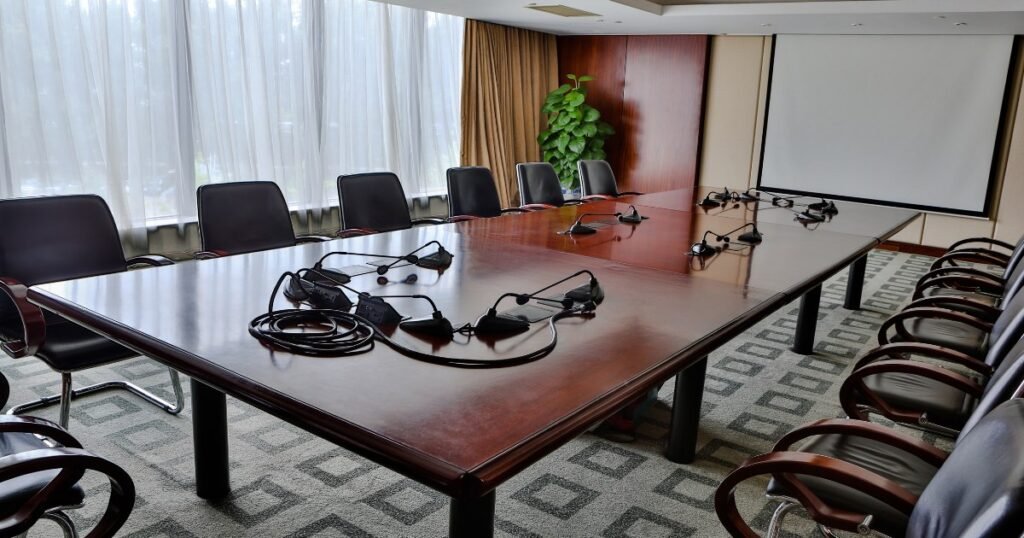
For any room seating more than four or five people, a single centralized microphone is rarely enough. Ceiling microphone arrays or multiple table microphones, tuned for the room’s specific acoustics, are what separate a boardroom that sounds professional on a call from one where remote participants keep asking people to repeat themselves. If your room has hard floors, glass walls, or a high ceiling, this matters even more — those surfaces bounce sound in ways that make audio pickup harder, not easier.
Video Conferencing: Match the Camera to How the Room Is Actually Used
A fixed wide-angle camera works fine for a small huddle room where everyone sits close together. It works poorly in a long boardroom, where people at the far end become tiny, hard-to-see figures on the remote side of the call. For larger rooms, a camera with auto-framing or speaker-tracking (one that follows whoever is talking) makes a noticeable difference in how professional the meeting feels to remote participants — which, increasingly, is most of the people actually on the call.
Control Should Be Boring
The best boardroom AV system is the one nobody has to think about. If staff need a manual, a laminated instruction sheet, or a call to IT every time they want to start a meeting, the system has failed at its most basic job regardless of how good the equipment is. One-touch meeting start, from a single wall panel or touch controller, should be the standard you’re designing toward — not an optional upgrade.
This is also where a lot of “DIY” AV setups fall apart. Buying good individual components (a good camera, a good speaker, a good display) doesn’t automatically produce a good system. The integration — how those pieces talk to each other, and how simply a person in the room can operate all of it together — is usually the harder and more important half of the job.
Plan for Growth, Not Just Today
A system that fits your current headcount and current way of meeting may not fit in eighteen months. If your organization is likely to grow, add more hybrid work, or eventually need to livestream a town hall, it’s worth designing slightly ahead of your current need rather than replacing the system again soon after installing it. This doesn’t mean overspending — it means choosing equipment and cabling that can scale, rather than a fully fixed setup with no room to add a camera, microphone, or display later without ripping out what’s already there.
Get the Room Assessed Before You Buy Anything
The single best step before any boardroom AV purchase is a proper site assessment — someone measuring the room, checking the lighting, testing the acoustics, and asking how the space actually gets used day to day. It’s a cheap step that prevents the expensive mistake of buying equipment sized for the wrong room.
If you’re planning a boardroom upgrade and want a second opinion before committing to a system, Revolux Technologies designs and installs boardroom AV systems built around how your space is actually used — not a generic package. Get in touch and we’ll walk the room with you before recommending anything.